
.png)
July was one of our busiest release months in a while.
We launched the completely rebuilt Navexa mobile app, added new tax-reporting tools and expanded the ways you can bring investment and Cash Account data into Navexa.
There was a lot to cover.
In this August update, I’ll walk through some of the main changes we released during July and show you where to learn more.
We have also revitalised the Navexa changelog. It now gives you a much clearer record of the features, improvements and fixes released throughout the month.
Watch The August Update
In the video, I cover:
- The completely rebuilt Navexa mobile app.
- Carried-forward capital losses.
- New Revolut, crypto staking reward and Cash Account imports.
- A new password option for Google and Apple accounts.
- Easier ways to combine holdings when renaming or moving them.
ETF Tax Webinar With Pearler
Tax time is always busy for Australian investors, particularly as ETF providers begin releasing annual AMIT and AMMA statements.
We recently ran an ETF tax webinar with Pearler covering AMIT statements, ETF income, cost-base adjustments, parcel selection and capital gains reporting.
The simple version is this:
The cash distribution paid by an ETF may not tell the complete tax story.
Annual tax statements can contain additional components and cost-base adjustments that may affect your portfolio records and future capital gains calculations.
If you missed the webinar, you can watch the replay and download the slides on the Navexa blog.
The Completely Rebuilt Navexa Mobile App
The biggest product release during July was the completely rebuilt Navexa mobile app for iOS and Android.
This was not just a visual refresh.
We rebuilt the app from the ground up to bring much more of the Navexa web experience to your phone.
You can now:
- Explore richer portfolio and holding views.
- Review performance, income and tax reports.
- Add and edit transactions.
- Manage connected accounts.
- Contact Navexa support from inside the app.
If you already had the Navexa app installed, update it through the Apple App Store or Google Play, then sign in using your existing Navexa account.
You can read the full mobile app announcement and watch the launch walkthrough.
Record Carried-Forward Capital Losses
Navexa now lets you record net capital losses carried forward from earlier financial years.
Once recorded, Navexa can include those losses when calculating the portfolio’s estimated CGT position, based on the data in your account.
There is also a dedicated Capital Losses area where you can review:
- Losses created in each financial year.
- Losses applied in later years.
- The remaining balance recorded in Navexa.
This is particularly useful if you joined Navexa with an existing capital-loss balance that is not represented by trades inside the portfolio.
Your lodged tax records remain the source of truth. If you add a historical amount, check it against your previous records or with your registered tax agent.
Learn more:
More Ways To Import Data
We have also expanded the range of data you can import into Navexa.
The goal is straightforward:
Less manual entry and an easier way to keep your portfolio records complete.
Import Revolut Stock And ETF Trades
Revolut customers can now upload an investment account statement to import supported stock and ETF buy and sell trades.
After Navexa reads the file, you can review the extracted transactions before adding them to your portfolio.
This importer is for Revolut stock and ETF activity. It does not import Revolut crypto activity.
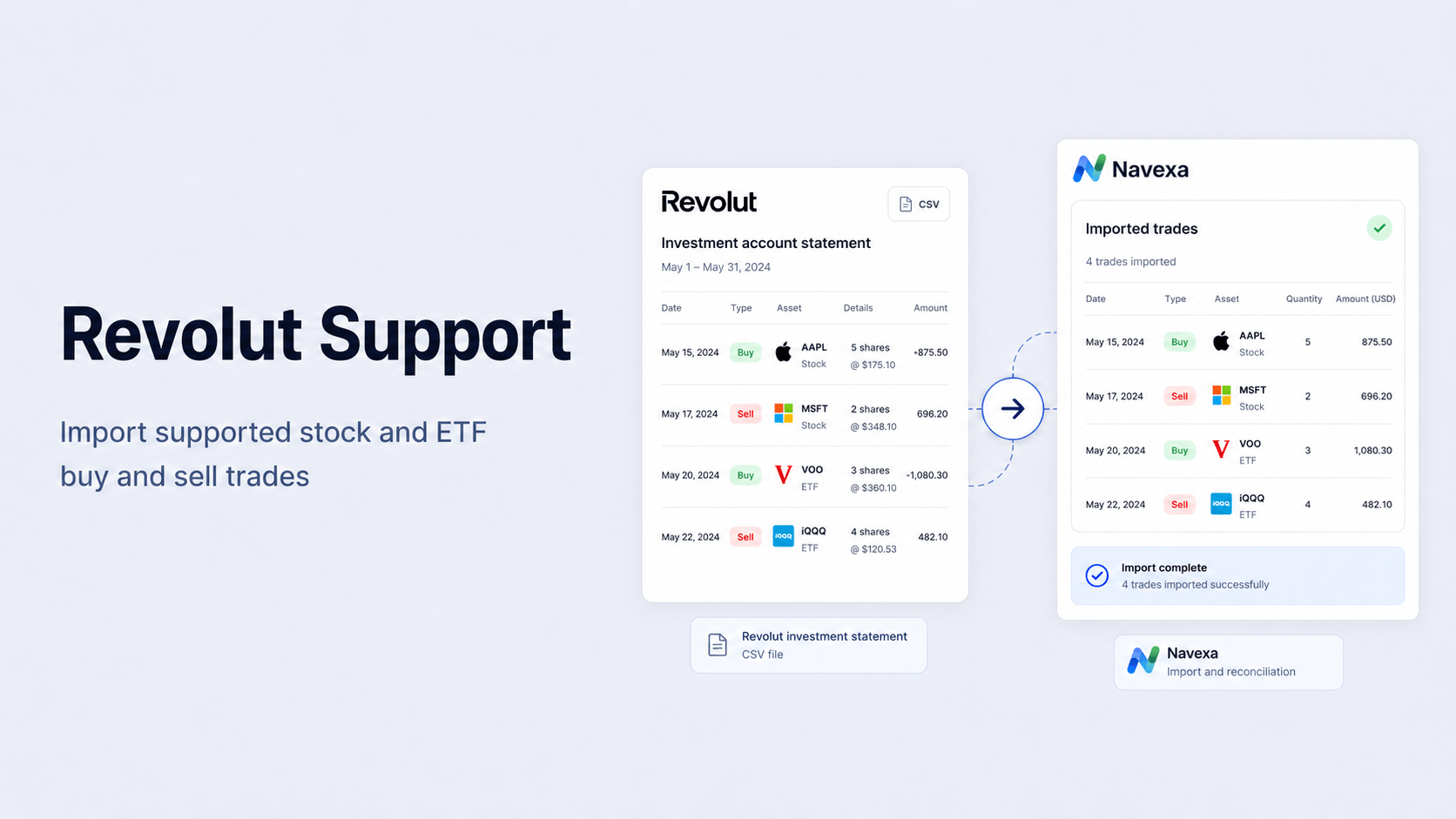
Learn how to import trades from Revolut.
Import Crypto Staking Rewards
Navexa can now recognise staking rewards in supported crypto transaction files and import them alongside your other activity.
Each supported reward is recorded as income against the relevant crypto holding using the information provided in the file.
That helps keep the holding’s units, portfolio income and performance records up to date without entering every reward individually.
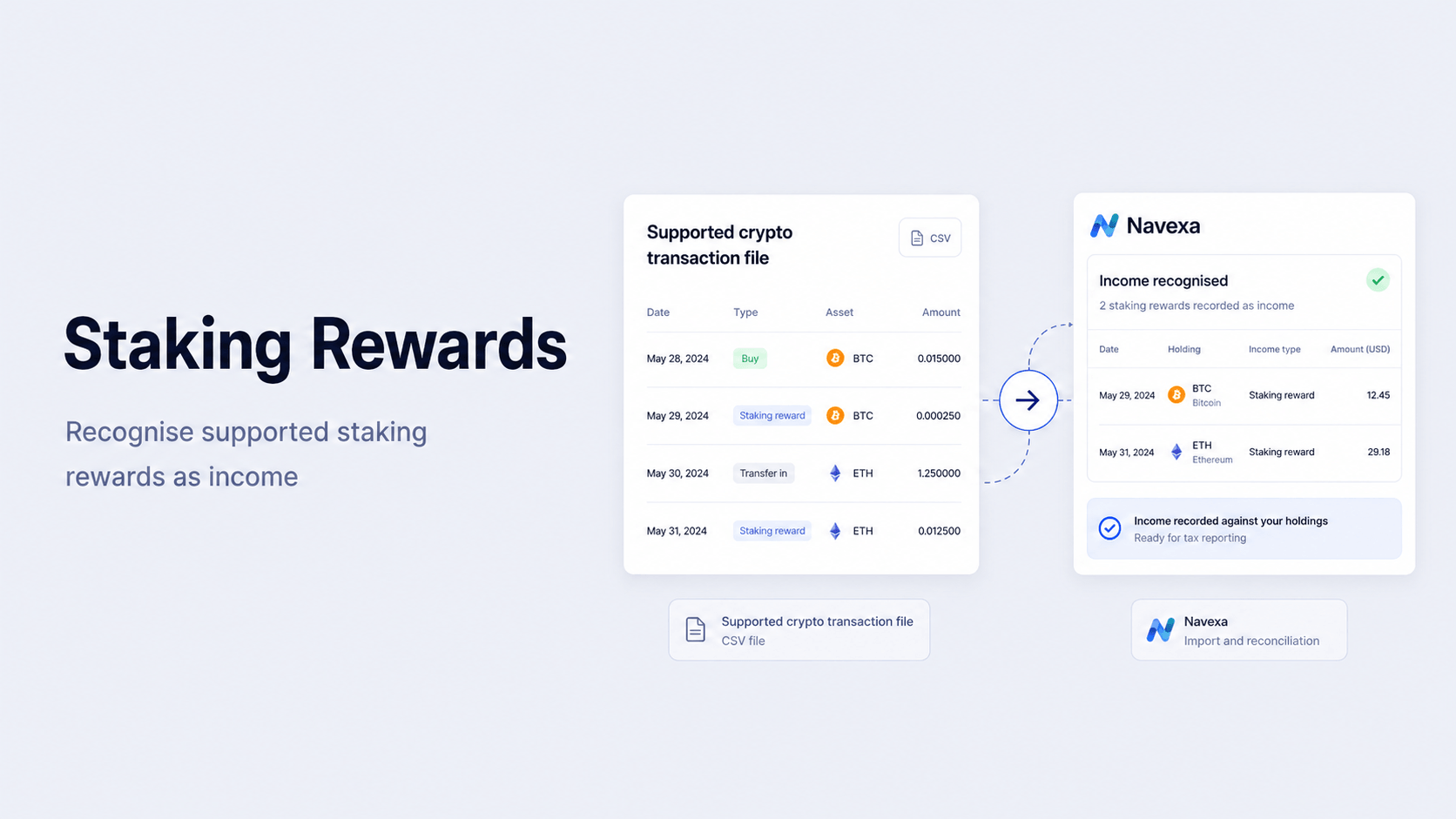
Learn more about tracking staking rewards.
Import Cash Account Transactions In Bulk
You can now import Cash Account transaction history from a CSV or Excel spreadsheet.
Navexa can identify:
- Deposits.
- Withdrawals.
- Interest payments.
- Interest charged.
- Fees.
You can review the dates, descriptions, amounts and transaction types before completing the import.
This gives you a faster way to bring bank or brokerage cash activity into Navexa without recording each transaction separately.
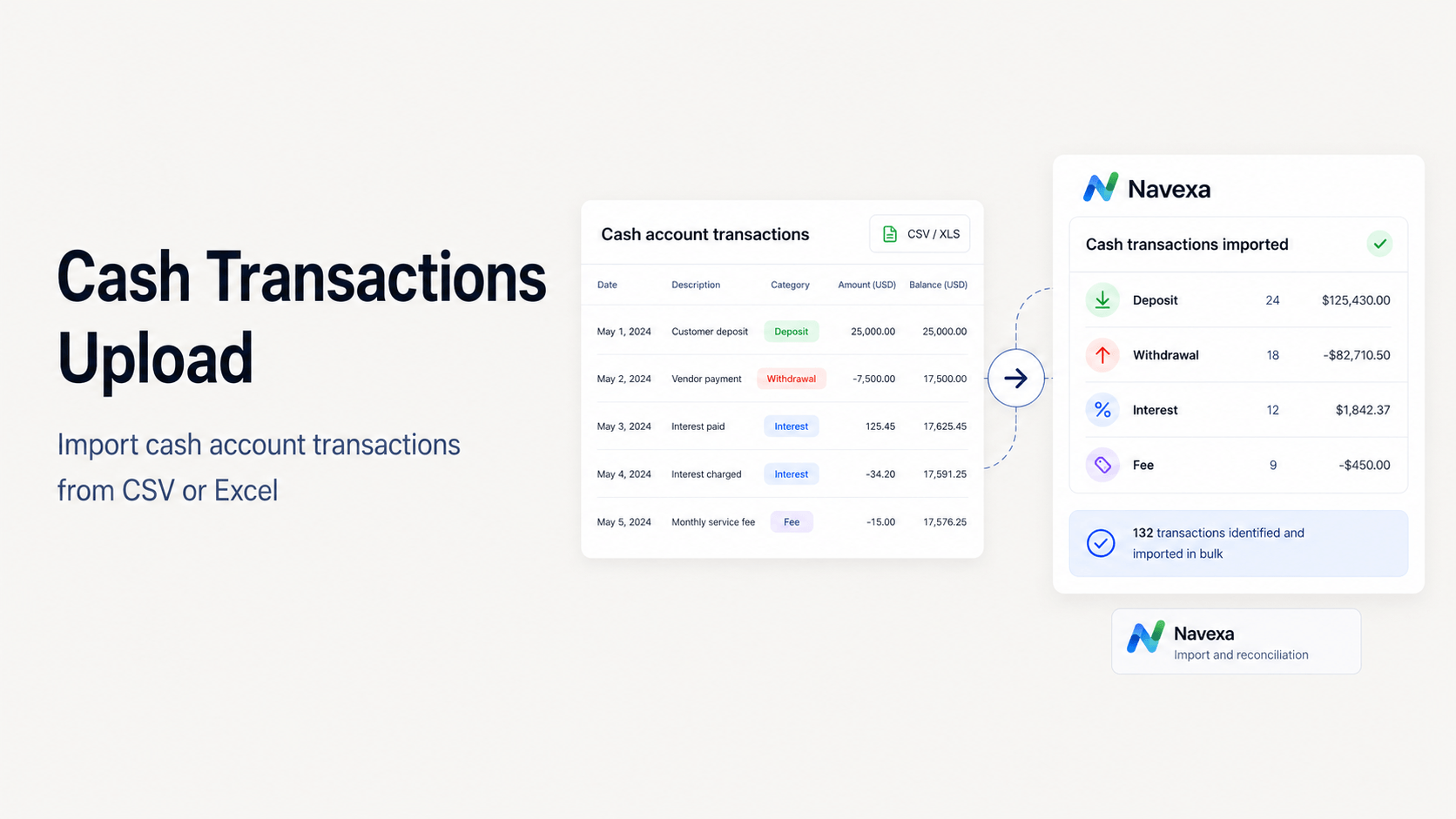
Learn how to import Cash Account transactions from a spreadsheet.
Add A Password To A Google Or Apple Account
If you originally created your Navexa account using Google or Apple, you can now add a Navexa password through Settings > Security in the web app.
This gives you another way to sign in.
It does not remove or disconnect your existing Google or Apple login, so you can continue using either method.
Learn how to create or change your Navexa password.
Combine Holdings When Renaming Or Moving Them
We have also fixed a frustrating problem that could occur when renaming or moving a holding.
Previously, Navexa could stop you if you tried to:
- Rename an old or delisted holding to a symbol already used by another holding in the portfolio.
- Move a holding into another portfolio where the same investment already existed.
Navexa can now ask you to confirm that you want to combine the two holdings.
The combined holding preserves the underlying trades, acquisition dates and cost-base records.
If either holding contains confirmed income, Navexa will warn you before that income is reset and recalculated. Review the holding and relevant reports after completing the change.
Learn more:
Keep Up With What Is Changing
These are only some of the changes we released during July.
The team ships improvements constantly, and even we can lose track of just how much has changed. The refreshed Navexa changelog is the easiest way to see the complete list of features, improvements and fixes.
You can also use the feedback portal to suggest improvements or report general issues.
One important thing to remember: the feedback portal is public.
Do not include personal information, account details or screenshots containing private data. If something is specific to your portfolio or account, contact us through Help & Support inside Navexa instead. That gives you a secure place to send the information and screenshots our team may need to investigate.
Frequently Asked Questions
Is The New Navexa Mobile App Available Now?
Yes. The rebuilt Navexa mobile app is available for iOS and Android. Existing users should update the app through the Apple App Store or Google Play and sign in with their existing Navexa account.
Can Navexa Track Capital Losses From Before I Joined?
You can record historical net capital losses carried forward from earlier financial years. Check the starting balance against your lodged records or with your registered tax agent before relying on it in later Navexa calculations.
Can I Import Revolut Crypto Activity?
Not through the Revolut investment statement importer. That importer supports eligible stock and ETF buy and sell trades, not Revolut crypto activity.
Will Adding A Password Disconnect My Google Or Apple Login?
No. Adding a Navexa password gives you another sign-in option without removing your existing Google or Apple login.
Where Should I Report A Problem With My Account?
Use Help & Support inside Navexa for anything involving your personal information, account or portfolio. Use the public feedback portal for general product suggestions and non-personal bug reports.
Final Thought
July was a big month for Navexa.
The new mobile app makes it easier to manage your portfolio away from your computer. The new import options reduce manual data entry. And the tax and holding-management changes give you clearer ways to keep your records organised.
We will keep sharing these monthly updates so you can see what has changed and find the features that may make managing your portfolio easier.
Thanks for watching and reading. I’ll see you in the next update.
Disclaimer
This article is general information only and does not constitute personal financial, legal or tax advice. Navexa provides portfolio tracking and reporting tools based on the data recorded in your account. Review your records and speak with a qualified professional about your circumstances.