
TD Ameritrade was once one of the biggest names in online brokerage.
For years, investors used TD Ameritrade to buy and sell shares, trade options, access market research, and manage portfolios through platforms like thinkorswim.
But TD Ameritrade is no longer available in the same way.
Charles Schwab acquired TD Ameritrade in 2020, and the remaining TD Ameritrade accounts were transitioned to Schwab in 2024. For former TD Ameritrade users, that means the real question is no longer just, “Is TD Ameritrade a good broker?”
The better question is:
If my TD Ameritrade account moved to Schwab, how do I keep tracking my portfolio properly?
That is where portfolio records matter.
TD Ameritrade Has Transitioned To Charles Schwab
TD Ameritrade is no longer operating as a standalone broker in the way many investors remember it.
After Charles Schwab acquired TD Ameritrade, customer accounts were gradually moved across to Schwab. The final account transition took place in 2024.
That means many investors who previously used TD Ameritrade now manage their accounts through Schwab.
Some TD Ameritrade tools and features were also moved into the Schwab ecosystem. For example, thinkorswim became part of Schwab’s trading platform offering.
So if you are searching for a TD Ameritrade review today, it is important to understand that the broker has changed. The platform, login experience, reporting flow and account management process may now look different from what long-time TD Ameritrade users were used to.
What Former TD Ameritrade Users May Need To Check
Broker transitions can be smooth from an account access point of view, but they can still create questions around portfolio records.
Former TD Ameritrade users may want to check things like:
- Whether all holdings transferred correctly
- Whether cost bases are showing as expected
- Whether old trade history is still available
- Whether dividend and income records are complete
- Whether realised gains and losses are easy to review
- Whether transferred positions have enough history for reporting
- Whether multiple accounts are still being tracked clearly
- Whether any historical records need to be downloaded or saved
This is not about assuming something is wrong.
It is about making sure your portfolio records still tell the full story.
When an account moves from one broker platform to another, your current holdings may be visible, but older history, cost base details or transaction records may not always appear in the way you expect.
Why Portfolio Tracking Matters After A Broker Transition
Your broker shows you what is inside your brokerage account.
But your portfolio history can include much more than that.
Over time, you may have:
- Bought shares across different brokers
- Transferred holdings between platforms
- Reinvested dividends
- Received shares through employer plans
- Held positions across multiple accounts
- Sold part of a holding
- Added cash manually
- Received income from dividends or distributions
- Built up years of performance and tax history
A broker transition can make it harder to see everything in one clean view.
That is why an independent portfolio tracker can be useful.
Instead of only looking at what one broker currently shows, you can use a portfolio tracking platform to bring your holdings, trades, income and performance into one place.
Navexa Supports Schwab Direct Integration
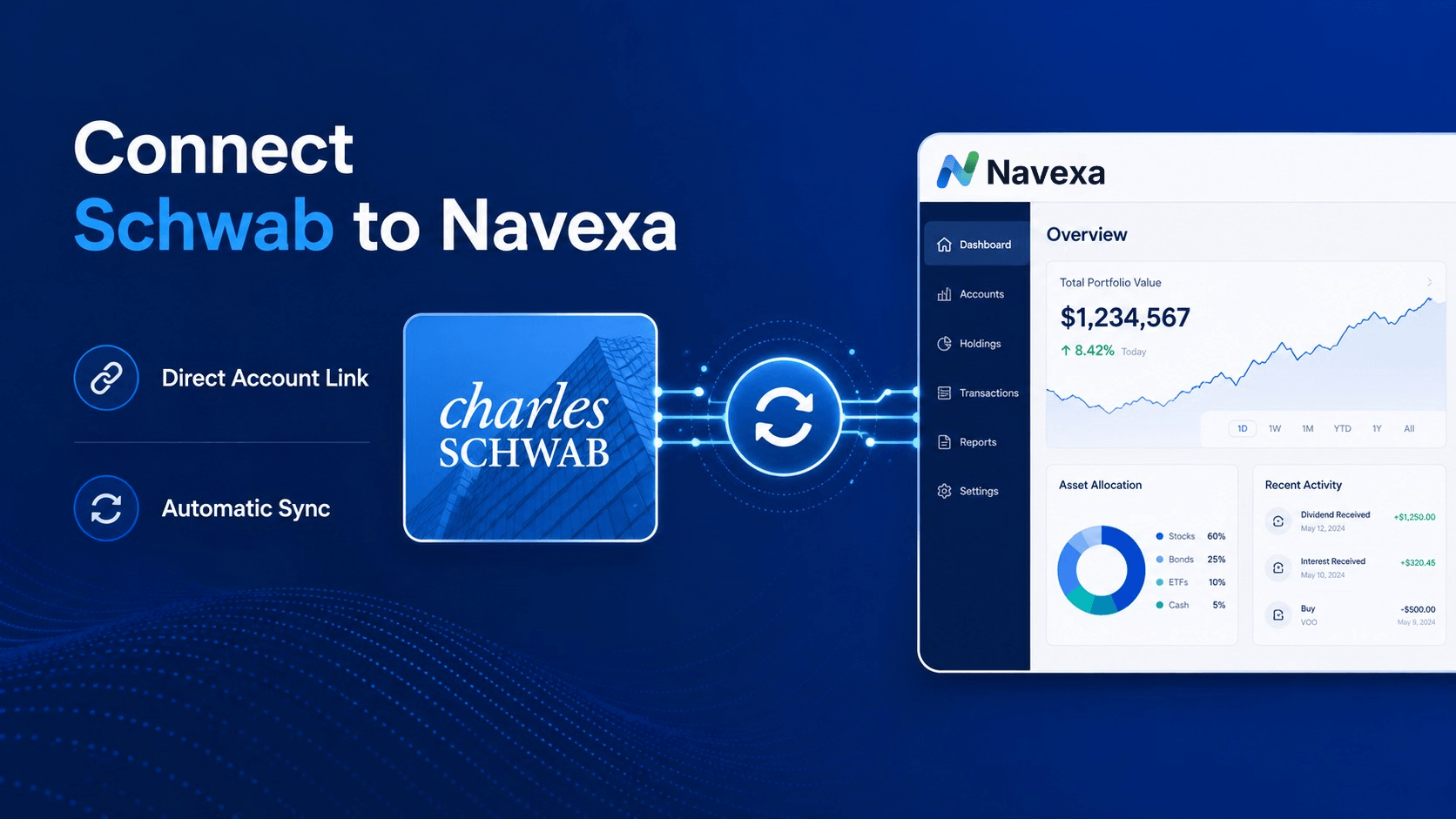
If you previously used TD Ameritrade and now use Schwab, Navexa supports Schwab direct integration.
You can connect Schwab to Navexa and sync supported account data into your portfolio.
Navexa’s Schwab integration is designed to help investors sync their portfolio data automatically, so they can track their holdings, performance and portfolio records in one place.
This can be especially useful if you are no longer using TD Ameritrade directly and want a cleaner way to track your Schwab portfolio.
How The Schwab Connection Works In Navexa
Inside Navexa, you can connect supported US brokers using direct integration.
For Schwab, this means you can use the direct account link option to connect your broker account and sync supported data.
In general, the process looks like this:
- Go to your portfolio in Navexa.
- Choose to add holdings.
- Search for Schwab.
- Select Schwab from the broker list.
- Choose the direct account link option.
- Follow the secure connection prompts.
- Review the imported holdings and trade data.
Navexa’s Help Centre includes a step-by-step guide for importing trades from supported US brokers using direct integration, including Schwab and Fidelity.
Read the Schwab direct integration guide
What Direct Integration Can Import
Direct broker integration can help reduce manual work.
Instead of entering every recent trade by hand, the broker connection can bring supported data into Navexa.
This may include current holdings and recent trade history, depending on what the broker provides through the integration.
That said, broker integrations are not always a complete historical record.
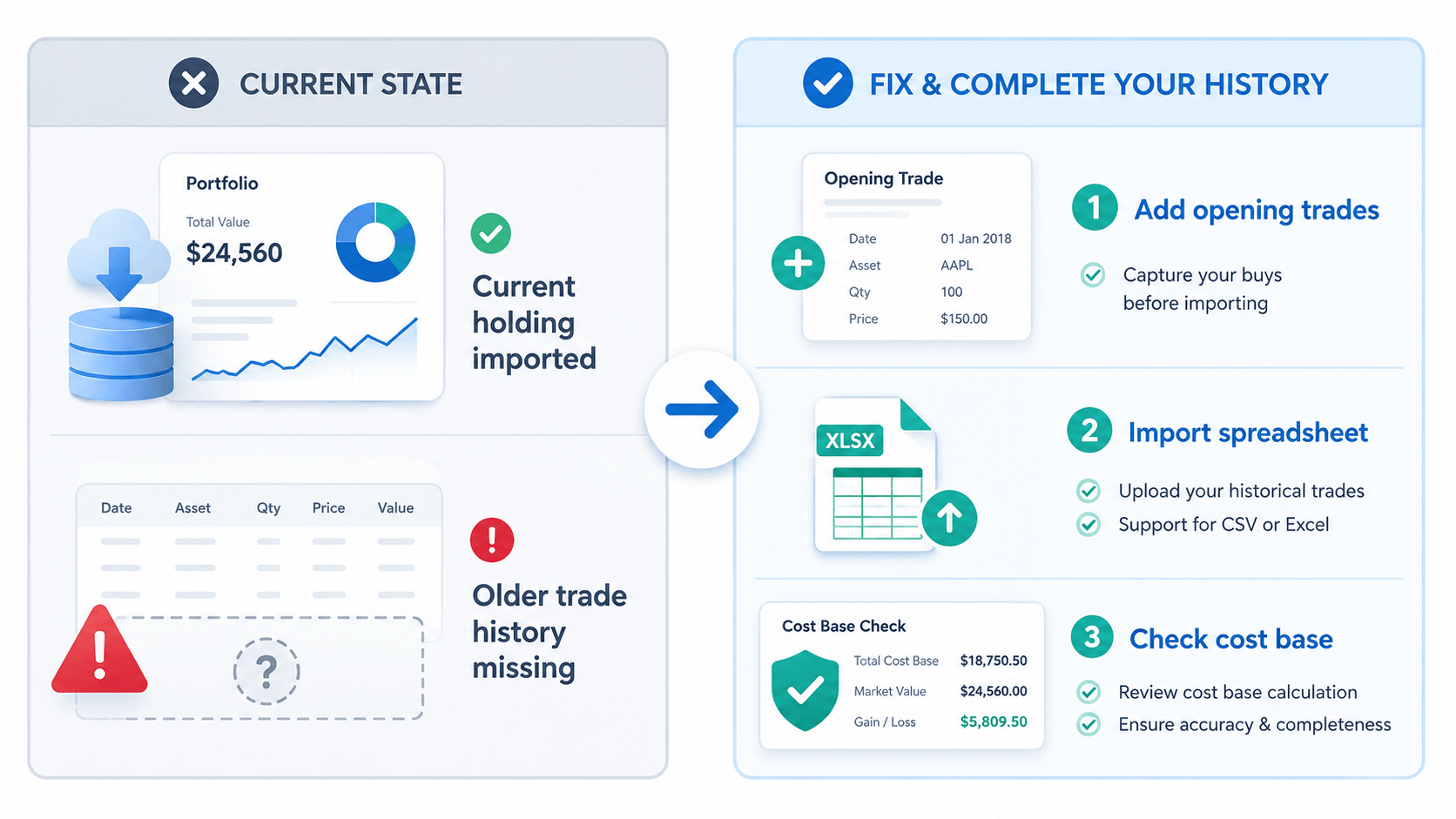
Older trades may need to be added manually or imported separately, especially if they sit outside the broker’s recent import window.
That is an important point for former TD Ameritrade users.
If your account moved to Schwab, your current holdings may be available, but you should still check whether your full historical trade data, cost bases and income records are complete.
Why Some History May Be Missing
There are several reasons broker data may not show the full picture.
For example, older trades may be outside the broker’s supported import window.
Some positions may have been transferred from another broker.
Some holdings may have come from an employer share plan, option exercise, share registry, corporate action or another source that does not appear as a normal market buy.
In those cases, the broker may show the current holding, but not always the original transaction history needed to explain how that position was built.
This matters because missing history can affect how accurately your portfolio records reflect:
- Cost base
- Performance
- Income
- Realised gains
- Unrealised gains
- Holding periods
- Tax reporting information
If something looks incomplete, you may need to add missing trades or opening balances manually, or import additional records using a spreadsheet.
What To Check After Connecting Schwab
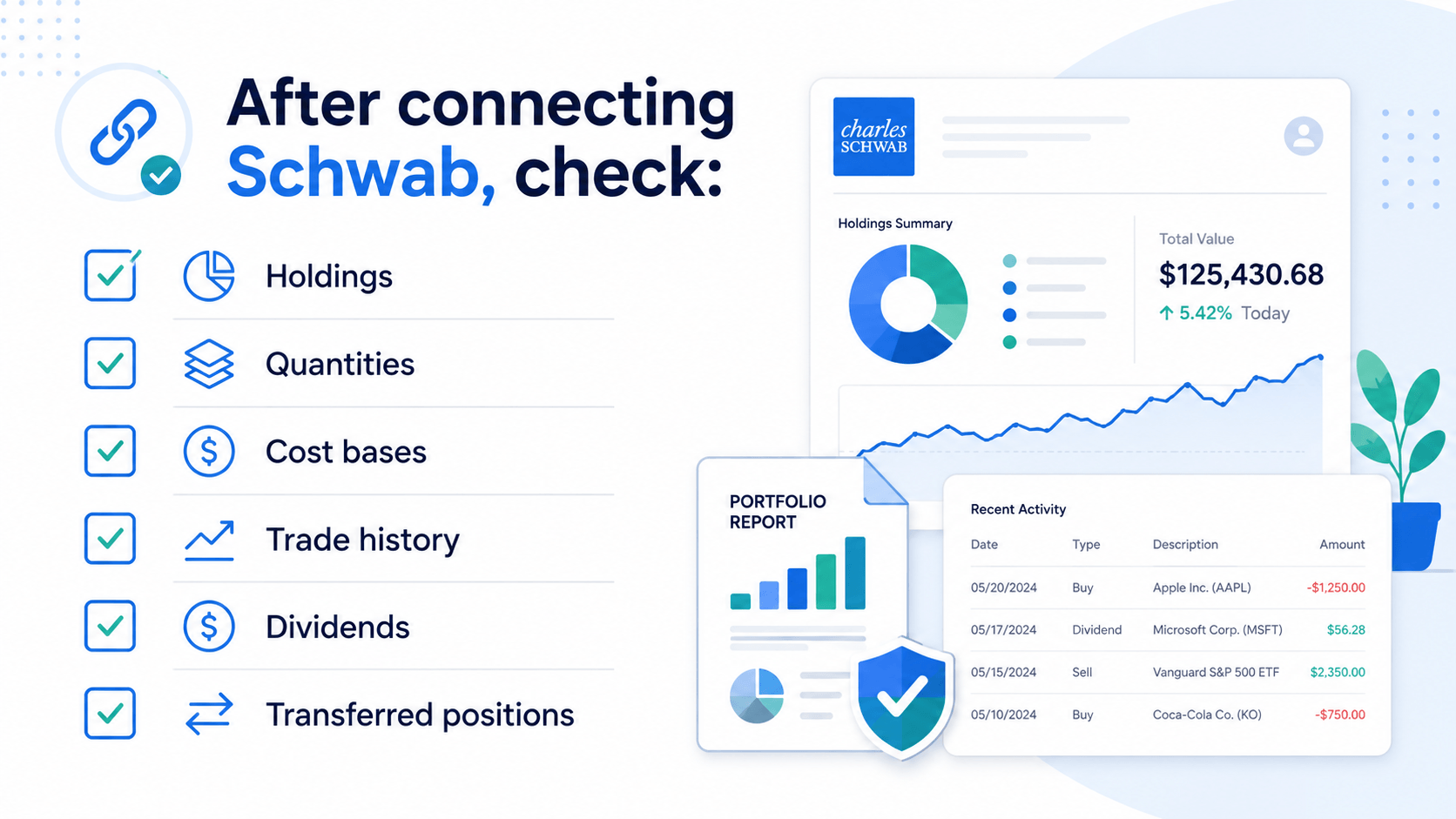
After connecting Schwab to Navexa, it is worth reviewing the imported portfolio carefully.
You may want to check:
- Do your holdings match your Schwab account?
- Are quantities correct?
- Are any holdings missing?
- Are cost bases showing as expected?
- Are older trades included?
- Are transferred positions recorded properly?
- Are dividends and income records complete?
- Are any positions showing negative quantities?
- Do realised gains and unrealised gains look reasonable?
- Do you need to add any older transactions manually?
These checks can help you clean up your portfolio records before relying on reports or sharing information with an adviser, accountant or tax professional.
Why This Matters For Performance Tracking
Performance tracking is only as good as the data behind it.
If your portfolio history is incomplete, your returns may not tell the full story.
For example, if a holding was transferred from TD Ameritrade to Schwab, but the original purchase history is missing, your portfolio tracker may not know the true cost base or holding period unless that information is added.
That can affect how you understand:
- Portfolio growth
- Income
- Realised gains
- Unrealised gains
- Allocation
- Long-term returns
- Tax reporting records
Navexa is designed to help investors bring these records together, so they can see more than just a broker account balance.
TD Ameritrade Review: Is It Still Worth Comparing?
In the past, a TD Ameritrade review would have looked at things like:
- Trading fees
- Research tools
- Account types
- Mobile app experience
- Trading platforms
- Customer support
- Portfolio tools
- Education resources
Today, that kind of review is less useful because TD Ameritrade is no longer operating as a standalone broker.
If you are deciding where to manage your portfolio now, it makes more sense to look at Schwab directly.
But if you previously used TD Ameritrade, the more practical issue is making sure your portfolio records remain complete after the transition.
That includes checking your holdings, transactions, income, cost bases and reports.
How Navexa Helps Former TD Ameritrade Users
Navexa can help investors track their portfolio beyond a single broker login.
For former TD Ameritrade users who now use Schwab, Navexa can help by giving you a place to:
- Connect Schwab through direct integration
- Track holdings in one portfolio view
- Review performance over time
- Track income and dividends
- Monitor realised and unrealised gains
- Add missing trade history where needed
- Export reports
- Track multiple accounts and brokers in one place
This can be useful if you want a clearer view of your portfolio after the TD Ameritrade to Schwab transition.
It can also help if you hold investments across more than one broker and want to avoid jumping between platforms to understand your overall position.
See all supported broker integrations
Connect Schwab To Navexa
If your TD Ameritrade account has moved to Schwab, you can connect Schwab to Navexa and start tracking your portfolio in one place.
Navexa helps investors track performance, income, holdings and portfolio records across supported brokers.
You can use Schwab direct integration to sync supported data, then review your portfolio and check whether any older history needs to be added.
Frequently Asked Questions
Is TD Ameritrade still available?
TD Ameritrade is no longer available in the same standalone form. Charles Schwab acquired TD Ameritrade, and TD Ameritrade accounts were transitioned to Schwab.
What happened to TD Ameritrade accounts?
TD Ameritrade accounts were moved to Charles Schwab as part of the acquisition and platform transition. Former TD Ameritrade users now generally access their accounts through Schwab.
Did thinkorswim disappear?
No. thinkorswim became part of Schwab’s platform offering. Investors who used thinkorswim through TD Ameritrade may now access it through Schwab, depending on their account and region.
Can I connect Schwab to Navexa?
Yes. Navexa supports Schwab direct integration, allowing users to connect supported Schwab account data to their Navexa portfolio.
Does Navexa import all Schwab history?
Broker integrations can depend on what data the broker makes available. In some cases, recent trade history and current holdings may import, while older trades may need to be added manually or imported separately.
What should former TD Ameritrade users check after moving to Schwab?
Former TD Ameritrade users may want to check holdings, quantities, cost bases, trade history, dividends, transferred positions and any missing older transactions.
Should I keep old TD Ameritrade records?
It can be useful to keep old trade confirmations, account statements, dividend records and tax documents. These may help you or your accountant check historical portfolio information later.
Can Navexa track multiple brokers?
Yes. Navexa can help investors track portfolios across supported brokers and manually entered holdings, depending on account setup and available integrations.
Disclaimer
This article is general information only and does not constitute financial, investment, legal or tax advice. Navexa does not recommend any broker, investment, trading strategy or course of action. Broker availability, integration support and imported data may change over time. Always check your own records and speak with a qualified professional about your personal circumstances.
Navexa is not affiliated with Charles Schwab, TD Ameritrade or thinkorswim. Brand names and trademarks belong to their respective owners.