Getting started with Navexa: Week 1 webinar
Watch the Week 1 webinar, read or download the slides, and work through portfolio setup, imports, missing trades, dividends and the Soul Patts–Brickworks merger.
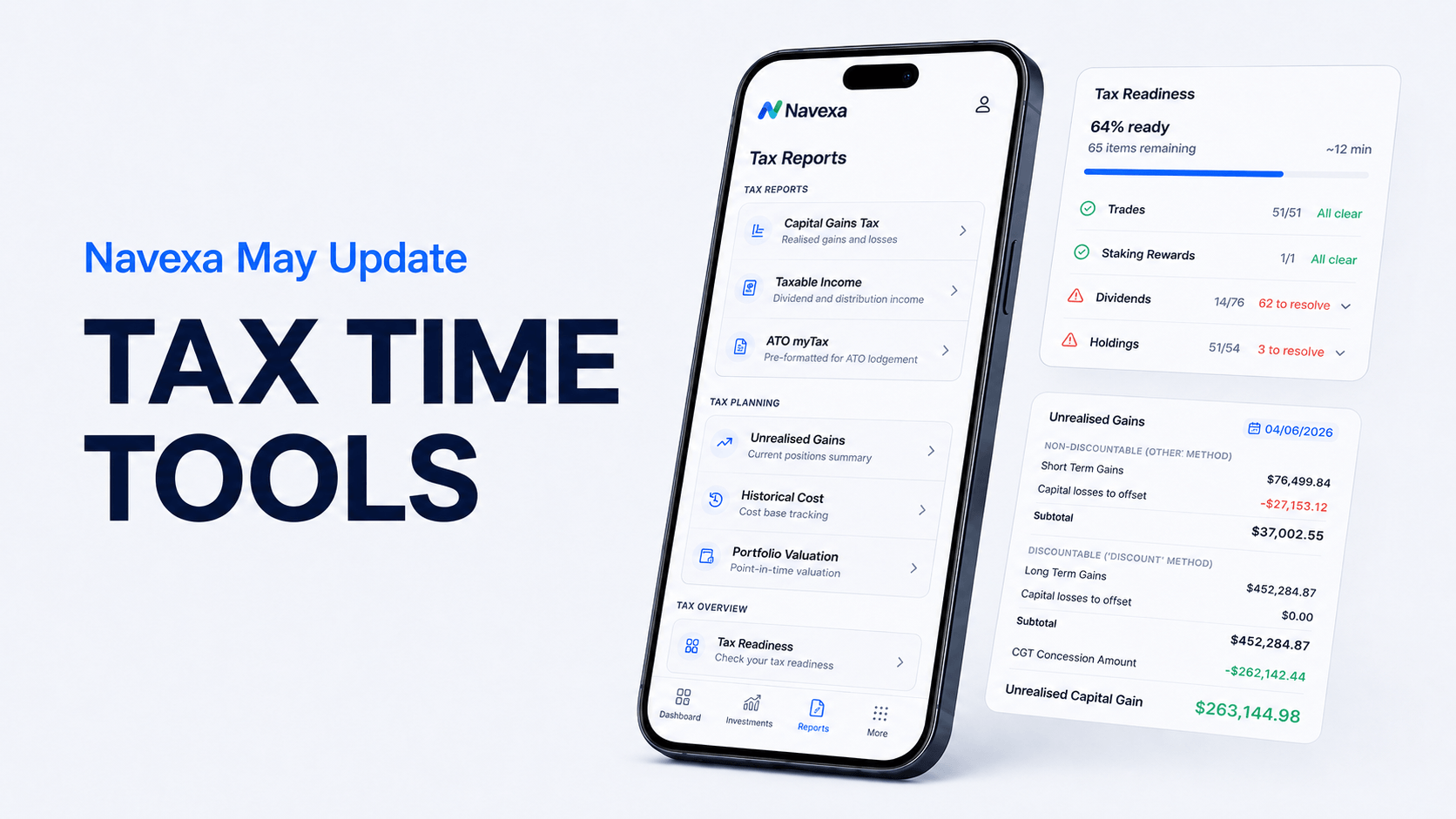
Tax time is getting closer for Australian investors.
With 30 June fast approaching, now is a good time to check your portfolio records, review any missing information, and make sure you know what reports you may need to share with your accountant.
In this month’s Navexa update, we covered how Australian investors can use Navexa’s Tax Overview and Tax Readiness tools to get organised before EOFY.
We also shared broader platform updates for all users, including performance improvements, progress on AI importing, the refreshed mobile app, and better support options inside Navexa.
Earlier this year, we launched the new version of the Navexa platform.
Since then, we have received a lot of helpful feedback from users. Most of it has been positive, which we always appreciate. Some of it has also helped us find bugs, identify areas for improvement, and make the platform smoother behind the scenes.
That feedback matters.
It helps us keep improving Navexa so the platform becomes easier, faster and more useful for investors managing real portfolios.
You can also share feedback with us at any time here:
The goal is simple: help you track your portfolio with more confidence, especially when your portfolio becomes more complex.
This month’s walkthrough focuses heavily on Australian tax readiness because EOFY is coming up.
But the broader updates are relevant for all Navexa users.
If you are using Navexa outside Australia, you may not have access to the Australian tax-specific features shown in this update. But you still benefit from the platform improvements we are making, including faster performance, cleaner portfolio tracking, exports, AI importing progress, mobile app updates and support improvements.
You can still export portfolio data, review your holdings, track performance and share information with your adviser, accountant or other professional where relevant.
So while the tax section is Australia-specific, the direction of the platform is much broader.
For Australian investors, tax reporting is one of the most important parts of keeping accurate investment records.
Inside Navexa, Australian clients with an AUD base currency portfolio can use the Tax Reporting area to review tax readiness, check for missing information, and prepare reports that may be useful for their accountant.
The Tax Overview page helps show where your portfolio records may need attention.
This can include things like:
The point is not to panic when you see issues.
The point is to know where to start.
If Navexa flags something, it is usually pointing you towards an area where your records may be incomplete or need checking.
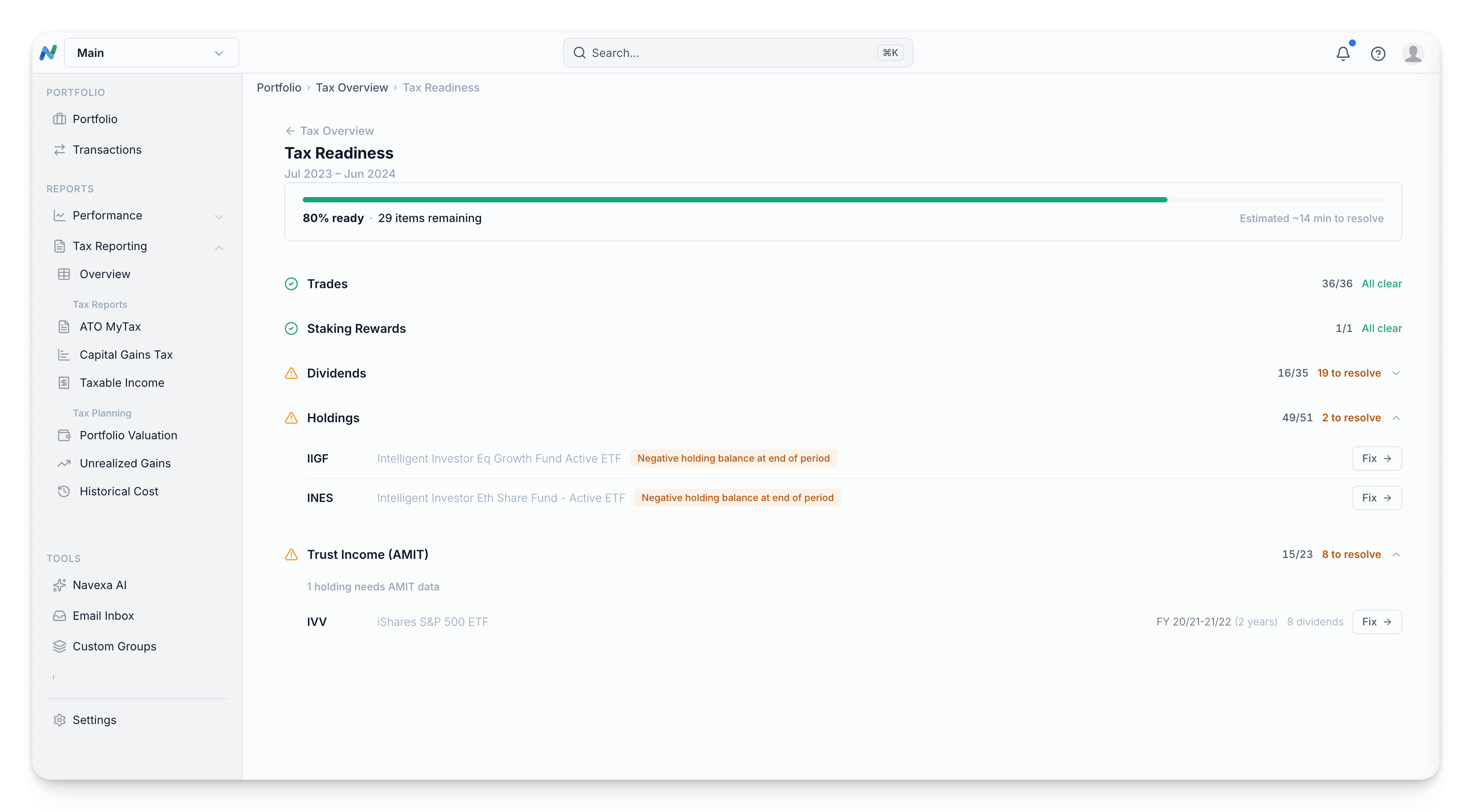
One common issue investors may see is a negative holding balance.
This usually means Navexa has a sell transaction, but not the full buy history needed to support it.
For example, you may have received shares through a share registry, a capital raising, a secondary offer, or an opening trade that your broker does not hold in its own records.
If your broker does not have that trade history, it may not be included when your broker data is imported into Navexa.
In that case, you may need to manually add the missing opening trade so Navexa has the full picture.
Once the missing trade is entered, the negative holding warning can usually be resolved.
Another important part of getting tax ready is checking and confirming dividends.
When you confirm a dividend in Navexa, you are effectively saying you have reviewed it and are happy with the details recorded.
This can help keep your income records clean before you export or share reports.
You can review dividends one by one, confirm dividends for a holding, or confirm multiple dividends if you are confident the details are correct.
This is useful when you are working through the Tax Readiness area and want to clear outstanding items from your list.
ETF and managed fund investors may also need to enter annual tax statement information.
These are often referred to as AMMA or AMIT statements, depending on the structure and reporting involved.
Throughout the year, an ETF or managed fund may pay distributions. After the financial year ends, the provider may issue an annual tax statement that breaks down the correct tax components.
That statement may include things like franked distributions, capital gains, foreign income, tax offsets, cost base adjustments and other tax return components.
This is where investors can get caught out.
If you receive one of these statements, the details may need to be added to your portfolio records so your tax reporting reflects the final annual breakdown, not just the cash distributions received during the year.
In Navexa, you can enter this information manually, or, in some cases, import the statement from PDF.
Please note: The details on your annual tax statement should come from the provider, share registry or ETF manager. Navexa can help you record and organise the information, but you should always check your records and speak with a qualified tax professional about your personal circumstances.
Once your tax records are reviewed, Navexa gives you several reports that may be useful when preparing information for your accountant.
These may include:
The ATO myTax report is designed to help align portfolio income information with tax return references.
The capital gains tax report can show realised capital gains and losses, including short-term and long-term gains where applicable.
The taxable income report can help summarise income generated across the portfolio.
You can export reports as PDF or Excel files and share them with your accountant or tax adviser.
Navexa also includes tax planning tools that can help investors understand different portfolio outcomes before selling.
Depending on your plan, you may be able to review unrealised gains and compare different sale allocation strategies, such as:
This can matter because different parcels of the same holding may have different buy dates, cost bases and tax outcomes.
But this is not about guessing the “best” move.
It is about visibility.
Navexa helps show the information more clearly so you and your adviser can make more informed decisions based on your own circumstances.
This article is general information only. It does not recommend any tax strategy, selling decision or investment action.
We have also been improving platform performance behind the scenes.
This is especially relevant for users with larger portfolios, many trades, multiple income events, or years of historical data.
Large portfolios can contain a lot of information, including:
We have made improvements to help Navexa handle larger portfolios more quickly and smoothly.
The aim is to keep the platform fast, even when your portfolio history becomes more detailed.
This is one of those improvements that may not always be obvious at first glance, but it matters. The more data you have in your portfolio, the more important speed and stability become.
Another major area of work is AI importing.
We are testing ways to make importing portfolio data easier, especially when users have files from different brokers, spreadsheets, CSV files, or manually created records.
The aim is to move towards a simpler drag-and-drop experience.
Instead of needing to know every broker format in advance, the importer would be able to read the file, understand the structure, and help complete the data inside your portfolio.
This is still something we are working on and improving, but it is an important part of where Navexa is heading.
Less manual formatting.
Less friction.
A simpler way to bring portfolio data into the platform.
We are also working on a refreshed Navexa mobile app.
The goal is to bring the mobile experience much closer to the web platform, both visually and functionally.
The updated app is currently being tested internally. We are looking for bugs, checking the experience, and making sure it works properly before releasing it more widely.
The bigger goal is to give users more of the power of the web platform from their phone.
That means being able to review portfolio information, update details, track investments, and eventually interact with more of Navexa’s intelligence from the mobile app.
This is a major piece of work, and we will share more as it gets closer.
Navexa’s Help Centre continues to be an important place to find answers.
Inside the platform, you can go to Help and Support to search the Help Centre, provide feedback, or start a chat.
You can also speak with Finn, our AI support assistant.
Finn uses the knowledge available in our support material to help answer common questions more quickly. If you reach a dead end or need more help, your conversation can be escalated for human review.
This helps us respond faster while still making sure customers can get extra support when needed.
We also read the feedback users send through the platform.
That feedback helps us understand what is working, what needs improvement, and where we should focus next.
You can share product feedback here:
EOFY can become stressful if your investment records are incomplete.
The earlier you review your portfolio, the easier it is to spot missing information, fix issues, and prepare reports.
A few practical things to check before tax time:
Good records can make tax time easier.
They can also help you understand your portfolio more clearly throughout the year.
May has been a practical update.
For Australian users, the main focus was tax readiness and EOFY preparation.
For all users, the bigger picture is that Navexa keeps getting faster, cleaner and more capable.
We are continuing to improve performance for larger portfolios, develop easier importing, refresh the mobile app, and improve the support experience inside the platform.
We are also continuing to listen to your feedback.
If something is working well, let us know.
If something needs improving, let us know that too.
That is how we keep building a better platform for real investors managing real portfolios.
The May update covered tax readiness, EOFY preparation, AMMA and AMIT statement handling, dividend confirmation, tax reports, platform performance, AI importing, the mobile app refresh and support improvements.
The tax readiness tools covered in this update are designed for Australian portfolios with AUD as the base currency. Global users can still benefit from broader platform improvements, exports, performance updates, AI importing progress, mobile app updates and support improvements.
Inside Navexa, go to the Tax Reporting section and select Overview. This area helps highlight items that may need attention before you export or share tax reports.
A negative holding can appear when Navexa has a sell transaction but does not have the full buy history. This can happen if an opening trade came from a share registry, capital raising or another source not included in your broker import.
AMMA or AMIT statements are annual tax statements often issued for ETFs and managed funds. They provide the final tax components for distributions received during the financial year.
Yes. Navexa lets you export reports such as ATO myTax, capital gains tax and taxable income reports as PDF or Excel files, which you can share with your accountant or tax adviser.
Yes. Non-Australian users can still export and share portfolio information, even if Australian tax-specific reports are not available for their account setup.
The refreshed mobile app is currently being tested internally. We will share more when it is ready for broader testing or release.
You can share feedback through the platform, or use the feedback portal here:
You can watch the full May monthly update here:
https://youtu.be/SVvMzqCyPpg?si=XmzxuEqynZ8-49L9
This article is general information only and does not constitute financial, legal or tax advice. Navexa does not recommend any specific investment, sale, tax strategy or course of action. Tax outcomes depend on your personal circumstances, portfolio records and applicable tax rules. Always speak with a qualified accountant or tax professional before making tax-related decisions.
Track your portfolio in Navexa
Free 14-day trial. No credit card required.
Try Navexa Free →Watch the Week 1 webinar, read or download the slides, and work through portfolio setup, imports, missing trades, dividends and the Soul Patts–Brickworks merger.
Navexa now supports Indian shares on NSE and BSE. Find thousands of stocks, including Infosys, and track them alongside investments from other supported markets.
Why an RBA rate change reaches mortgages, spending and investments at different times, and why lower inflation can still leave life feeling expensive.
.png)